Entity Types
Understand landmarks, people, and teams in depth. Learn about entities →
This guide covers everything you need to know about using Legend day-to-day. You’ll learn how to create and manage entities, build relationships, search effectively, and visualize your organizational knowledge.
Legend uses a simple but powerful entity-relationship model to represent your organization:
Entities are the building blocks. There are three types:
Relationships connect entities and provide context:
This model turns a simple list into a navigable knowledge graph. When you understand how entities relate to each other, you can answer questions like “Who owns this service?”, “What depends on this database?”, or “Who should I contact about this project?”
Entity Types
Understand landmarks, people, and teams in depth. Learn about entities →
Working with Entities
Create, edit, and delete entities with confidence. Start working →
Relationships
Build dependencies, assign ownership, and connect entities. Explore relationships →
Search and Discovery
Find entities quickly using search and filters. Search effectively →
Topology Explorer
Visualize relationships in an interactive graph. Explore topology →
Documentation
Attach and manage markdown documentation for entities. Manage docs →
The dashboard is your starting point. It displays all entities as cards in a grid layout. From here you can:
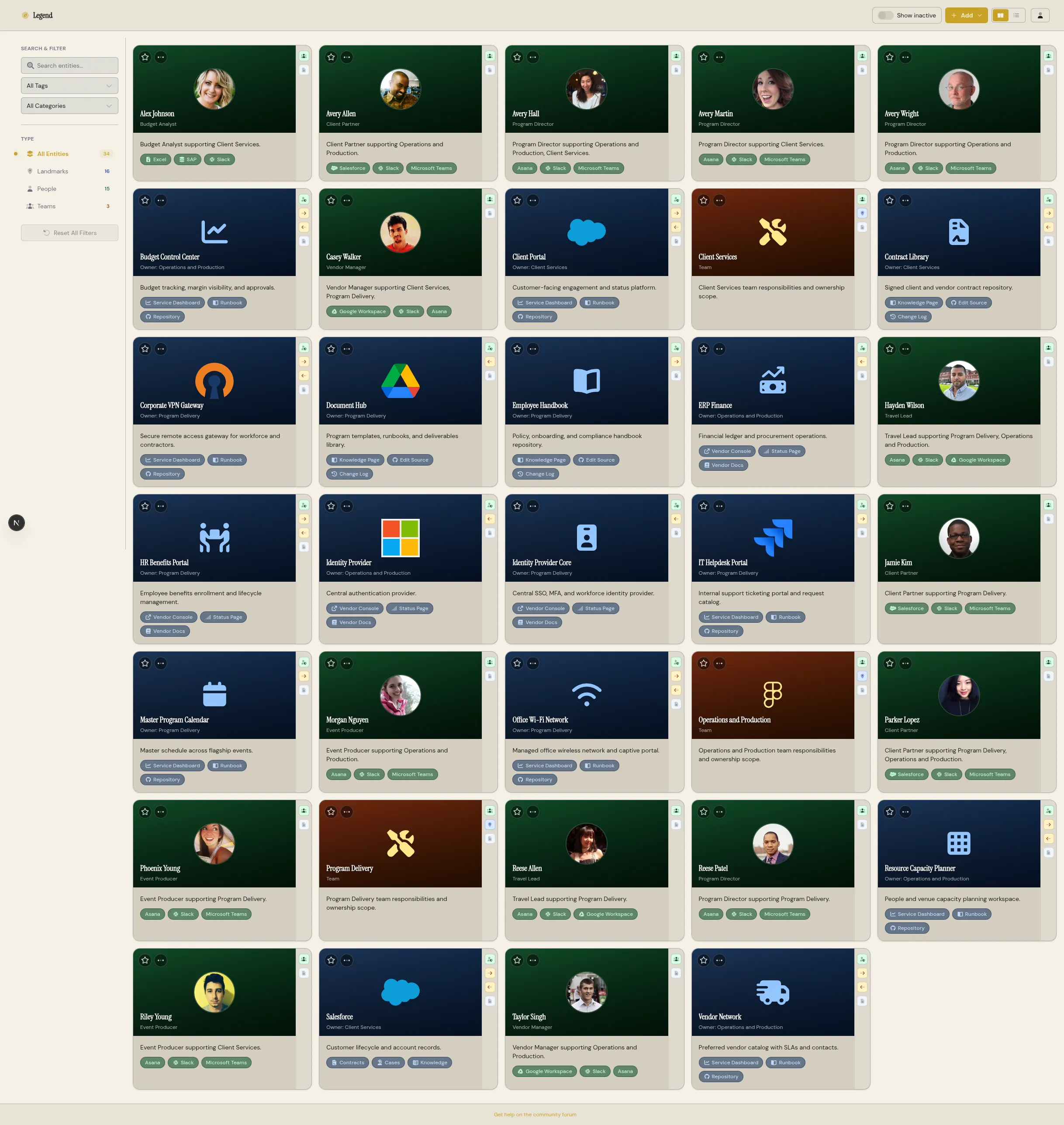
Each entity card displays key information at a glance:
Click any card to open the detail drawer, which shows complete information including all relationships, documentation tabs, and edit options.
If you’re new to Legend, start with Understanding Entities to learn about landmarks, people, and teams. Then move to Creating Entities to add your first content.
If you’re already familiar with the basics, jump to Relationships to start building connections, or Search and Discovery to find what you need quickly.